Why You'd Want Child Processes
Sometimes Node needs to shell out. Maybe you're running ffmpeg, or a Python script, or just need ls. Here's how.
Node is single-threaded. One heavy CPU task blocks everything. The child_process module lets you spin up separate OS processes to handle that work. Each child gets its own memory, its own V8 instance (if it's running Node), and its own event loop. Your main process stays free to handle requests.
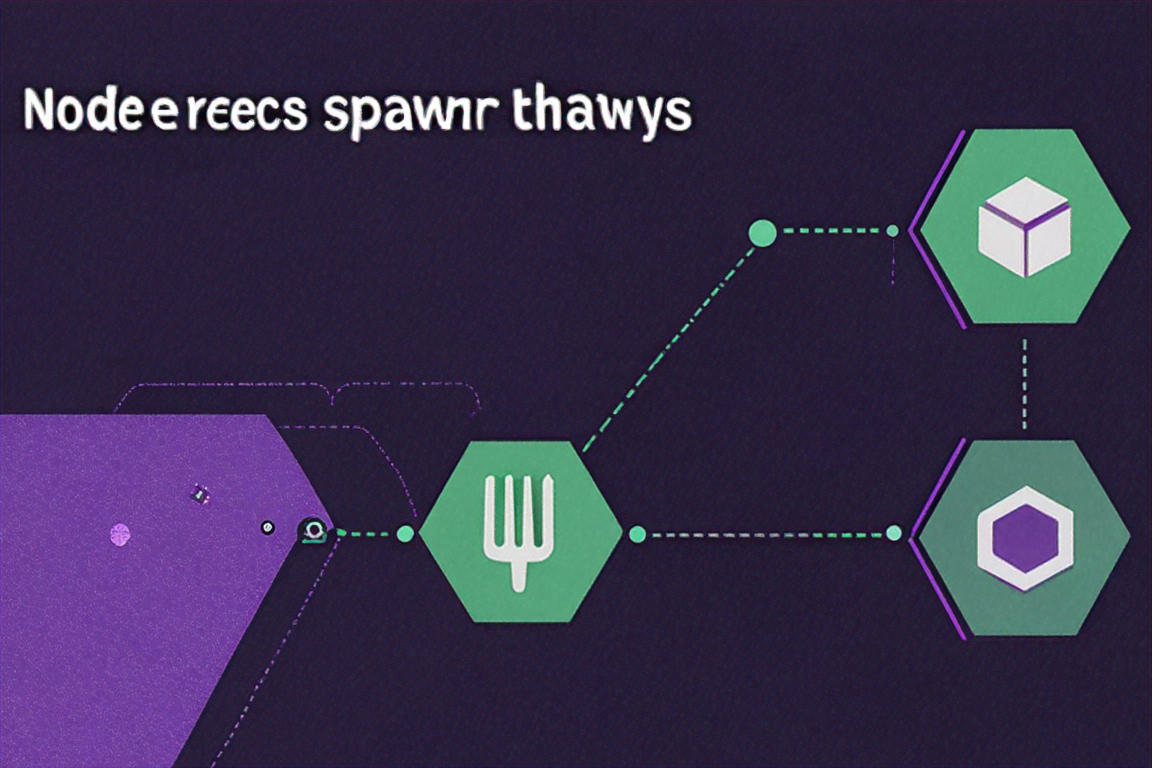
There are four functions: spawn, exec, execFile, and fork. They all create child processes, but they differ in how they handle I/O and whether they invoke a shell.
spawn: Streaming Output
spawn is the base-level one. It launches a command and gives you streams for stdin, stdout, and stderr. Use it when the output might be large or the process runs for a while.
const { spawn } = require('child_process');

const ls = spawn('ls', ['-la', '/home/ubuntu']);

ls.stdout.on('data', (data) => {
  console.log(`stdout: ${data}`);
});

ls.stderr.on('data', (data) => {
  console.error(`stderr: ${data}`);
});

ls.on('close', (code) => {
  console.log(`child process exited with code ${code}`);
});
Command and arguments are separate. No shell is spawned by default, which means no shell injection.
You can control the working directory, environment, and stdio wiring:
const child = spawn('node', ['worker.js'], {
  cwd: '/home/ubuntu/project',
  env: { ...process.env, NODE_ENV: 'production' },
  stdio: ['pipe', 'pipe', 'pipe']
});
The stdio array maps to stdin, stdout, stderr. Each value can be 'pipe' (gives you a stream), 'inherit' (shares the parent's descriptor), or 'ignore' (discards it). Setting stdio: 'inherit' is shorthand for all three inherited -- handy when you just want the child's output to show up in your terminal.
exec and execFile: Buffered Output
exec spawns a shell and runs the whole command string inside it. It buffers all the output and hands it to you in a callback when the process is done.
const { exec } = require('child_process');

exec('cat /etc/os-release | grep PRETTY', (error, stdout, stderr) => {
  if (error) {
    console.error(`exec error: ${error.message}`);
    return;
  }
  if (stderr) {
    console.error(`stderr: ${stderr}`);
    return;
  }
  console.log(`OS Info: ${stdout}`);
});
Because it runs in a real shell, you get pipes, redirects, globbing, all of it. The tradeoff: if any part of the command comes from user input, you're open to shell injection. And the default buffer is about 1 MB -- if the command produces more than that, exec kills the process.
Promisified version for async/await:
const { promisify } = require('util');
const execAsync = promisify(require('child_process').exec);

async function getGitBranch() {
  const { stdout } = await execAsync('git rev-parse --abbrev-ref HEAD');
  return stdout.trim();
}
execFile is like exec but skips the shell. It runs the binary directly with arguments as an array, same as spawn. Faster, safer, still buffered.
const { execFile } = require('child_process');

execFile('node', ['--version'], (error, stdout) => {
  if (error) throw error;
  console.log(`Node version: ${stdout.trim()}`);
});
The decision between exec and execFile is simple: do you need shell syntax (pipes, redirects, wildcards)? If yes, exec. If no, execFile.
fork: Node-to-Node Communication
fork is a specialized spawn for running other Node.js scripts. It automatically sets up an IPC channel so the parent and child can exchange messages with process.send() and the 'message' event.
// parent.js
const { fork } = require('child_process');

const worker = fork('./worker.js');

worker.send({ task: 'compute', payload: [1, 2, 3, 4, 5] });

worker.on('message', (result) => {
  console.log('Result from worker:', result);
});

worker.on('exit', (code) => {
  console.log(`Worker exited with code ${code}`);
});
// worker.js
process.on('message', (msg) => {
if (msg.task === 'compute') {
const sum = msg.payload.reduce((a, b) => a + b, 0);
process.send({ sum });
}
});IPC uses JSON serialization, so you can send objects, arrays, strings, numbers. You can even send server handles -- that's how the built-in cluster module distributes connections across workers.
One thing to keep in mind: every forked process is a full Node.js instance. Each one takes at least 30-50 MB of RAM. Don't fork a hundred of them. Size your pool to the number of CPU cores and call it a day.
Patterns and Error Handling
A few real patterns you'll actually use.
Piping processes together (the safe version of shell pipes):
const { spawn } = require('child_process');

const ps = spawn('ps', ['aux']);
const grep = spawn('grep', ['node']);

ps.stdout.pipe(grep.stdin);

grep.stdout.on('data', (data) => {
  console.log(data.toString());
});
That's ps aux | grep node without touching a shell.
Daemonizing a process:
const fs = require('fs');
const { spawn } = require('child_process');

const out = fs.openSync('./output.log', 'w');
const err = fs.openSync('./error.log', 'w');

spawn('node', ['server.js'], {
  stdio: ['ignore', out, err],
  detached: true
}).unref();
The parent can exit. The child keeps running.
Deployment script with execSync:
const { execSync } = require('child_process');

function deploy(branch) {
  try {
    execSync(`git pull origin ${branch}`, { cwd: '/var/www/app', stdio: 'inherit' });
    execSync('npm ci --production', { cwd: '/var/www/app', stdio: 'inherit' });
    execSync('pm2 reload app', { stdio: 'inherit' });
    console.log('Deployment successful');
  } catch (err) {
    console.error('Deployment failed:', err.message);
    process.exit(1);
  }
}
Worker pool with fork:
const { fork } = require('child_process');
const os = require('os');

const NUM_WORKERS = os.cpus().length;
const workers = [];
const taskQueue = [];

for (let i = 0; i < NUM_WORKERS; i++) {
  const worker = fork('./image-worker.js');
  worker.busy = false;
  worker.on('message', (result) => {
    console.log(`Processed: ${result.file}`);
    worker.busy = false;
    dispatchNext(worker);
  });
  workers.push(worker);
}

function dispatchNext(worker) {
  if (taskQueue.length === 0) return;
  worker.busy = true;
  worker.send(taskQueue.shift());
}

function processImage(filePath) {
  const freeWorker = workers.find(w => !w.busy);
  if (freeWorker) {
    freeWorker.busy = true;
    freeWorker.send({ file: filePath });
  } else {
    taskQueue.push({ file: filePath });
  }
}
Now, error handling. Child processes can fail in a few ways: the binary doesn't exist, the process crashes, or the parent dies first. You need to handle all three.
const child = spawn('long-running-task', [], { timeout: 30000 });

child.on('error', (err) => {
  // Process couldn't be spawned at all (e.g., command not found)
  console.error('Failed to start child:', err.message);
});

child.on('close', (code, signal) => {
  if (signal) {
    console.log(`Child killed by signal: ${signal}`);
  } else if (code !== 0) {
    console.error(`Child exited with code: ${code}`);
  } else {
    console.log('Child completed successfully');
  }
});

// Clean up on parent shutdown
process.on('exit', () => {
  child.kill('SIGTERM');
});
Always listen for the 'error' event. Always check exit codes. Set timeouts when appropriate. Kill children when the parent shuts down. If you're using exec or execFile and the output might be big, either bump maxBuffer or switch to spawn.
Real-World Examples That Aren't Trivial
The examples above cover the basics, but here are some patterns I've actually used in production that go a bit further.
Running ffmpeg for video transcoding:
const { spawn } = require('child_process');

function transcodeVideo(inputPath, outputPath, options = {}) {
  return new Promise((resolve, reject) => {
    const args = [
      '-i', inputPath,
      '-c:v', options.codec || 'libx264',
      '-preset', options.preset || 'medium',
      '-crf', String(options.quality || 23),
      '-c:a', 'aac',
      '-movflags', '+faststart',
      outputPath
    ];

    const ffmpeg = spawn('ffmpeg', args);
    let stderr = '';

    ffmpeg.stderr.on('data', (data) => {
      stderr += data.toString();
      // ffmpeg writes progress info to stderr
      const match = data.toString().match(/time=(\d{2}:\d{2}:\d{2})/);
      if (match) {
        console.log(`Progress: ${match[1]}`);
      }
    });

    ffmpeg.on('close', (code) => {
      if (code === 0) {
        resolve(outputPath);
      } else {
        reject(new Error(`ffmpeg exited with code ${code}: ${stderr.slice(-500)}`));
      }
    });

    ffmpeg.on('error', (err) => {
      reject(new Error(`Failed to start ffmpeg: ${err.message}`));
    });
  });
}
Notice that ffmpeg writes progress to stderr, not stdout. That tripped me up the first time -- I was listening on stdout and getting nothing, thinking the process was hanging. Most command-line tools use stdout for data and stderr for progress/diagnostics, but not all of them. Always check the documentation for whatever binary you're spawning.
Running a Python script and getting structured data back:
const { spawn } = require('child_process');

function runPythonAnalysis(dataPath) {
  return new Promise((resolve, reject) => {
    const python = spawn('python3', ['analyze.py', dataPath]);
    let stdout = '';
    let stderr = '';

    python.stdout.on('data', (data) => {
      stdout += data.toString();
    });

    python.stderr.on('data', (data) => {
      stderr += data.toString();
    });

    python.on('close', (code) => {
      if (code !== 0) {
        reject(new Error(`Python script failed (exit ${code}): ${stderr}`));
        return;
      }
      try {
        const result = JSON.parse(stdout);
        resolve(result);
      } catch (parseErr) {
        reject(new Error(`Invalid JSON from Python: ${stdout.slice(0, 200)}`));
      }
    });
  });
}
The pattern is simple: have the Python script print JSON to stdout, collect it, and parse it. But there's a gotcha. If the Python script also prints debug info to stdout (like print("processing...")), your JSON parse will fail. I've been burned by this more than once. Either make sure all non-JSON output goes to stderr in the Python script, or add a convention like a JSON delimiter line that you look for in the output.
Shell Injection: The Security Talk
exec runs your command in a shell. That's powerful but dangerous if any part of the command comes from user input. Consider this:
// DANGEROUS - Never do this
const { exec } = require('child_process');
const userInput = req.query.filename;
exec(`cat ${userInput}`, (err, stdout) => {
  res.send(stdout);
});
If someone passes ; rm -rf / as the filename, your server executes that too. This isn't hypothetical -- it's one of the most common server-side vulnerabilities in Node apps that shell out.
The fix: use spawn or execFile with arguments as an array. They don't invoke a shell, so shell metacharacters are treated as literal strings:
// SAFE - Arguments are escaped automatically
const { execFile } = require('child_process');
const userInput = req.query.filename;
execFile('cat', [userInput], (err, stdout) => {
  res.send(stdout);
});
If you absolutely must use exec with user input (maybe you need shell features like pipes), validate and sanitize the input aggressively. But honestly, I'd rethink the architecture first. There's almost always a way to avoid passing user input through a shell.
If you need shell features like pipes but want to avoid string interpolation, spawn has a shell: true option. It still uses a shell, so it's not immune to injection, but it's easier to control than building command strings:
const { spawn } = require('child_process');

// Still uses a shell, but arguments are separate
const child = spawn('grep', ['pattern', 'file.txt'], { shell: true });
Performance Considerations
Spawning a process is not free. On Linux, fork() (the system call, not Node's child_process.fork) is fast -- a few milliseconds typically. But if you're spawning thousands of processes in a loop, those milliseconds add up. I profiled a build tool once that was spawning a new node process for every file it needed to transform. Processing 2,000 files took 40 seconds. Switching to a worker pool with fork and reusing processes brought it down to 3 seconds.
Memory is the other constraint. Each Node child process takes 30-50 MB minimum just for the V8 heap and runtime. If you fork 20 workers, that's a gigabyte of RAM before you even load your application code. On a 2 GB server, that's game over. Size your worker pools based on available memory, not just CPU cores.
For CPU-intensive work in Node specifically, consider worker_threads before reaching for child_process. Worker threads share memory with the parent (via SharedArrayBuffer), have lower startup overhead, and don't need IPC serialization for everything. The downside is they share the same process, so a segfault in a worker kills everything. Child processes are isolated -- if one crashes, the parent keeps running.
// Quick comparison: worker_threads vs fork
// worker_threads: ~5ms startup, ~30MB shared memory, no IPC overhead for buffers
// fork: ~50ms startup, ~50MB per process, JSON serialization for messages
// spawn (non-Node): ~10ms startup, separate process, stdout/stderr pipes
The rule of thumb I use: if I'm running Node code and the tasks are short-lived, worker threads. If I'm running external binaries (ffmpeg, imagemagick, python), spawn. If I need long-running Node workers that communicate frequently with the parent, fork with a pool.
Debugging Child Processes
Debugging child processes is harder than debugging regular code because you can't just drop a breakpoint in a separate process. Here are the tricks I actually use.
Inspect flag for forked processes: If you're using fork, you can pass --inspect to the child so Chrome DevTools can attach to it. But there's a catch -- the parent is probably already using the default debug port (9229). You need to pick a different port:
const worker = fork('./worker.js', [], {
  execArgv: ['--inspect=9230']
});
Then open chrome://inspect and you'll see both the parent and child listed.
Log everything in development: I add a DEBUG environment variable check that dumps all IPC messages:
if (process.env.DEBUG) {
  worker.on('message', (msg) => {
    console.log('[worker -> parent]', JSON.stringify(msg).slice(0, 200));
  });
}
Timeout everything: A child process that hangs is worse than one that crashes, because it's silent. Always set timeouts on exec/execFile calls. For spawn, use a manual timeout:
const child = spawn('some-command', ['--flag']);
const timeout = setTimeout(() => {
  console.error('Process timed out, killing it');
  child.kill('SIGKILL');
}, 30000);

child.on('close', () => clearTimeout(timeout));
I had a deployment script that called npm install via exec without a timeout. One day, npm's registry was slow and the install hung for 20 minutes. The deployment pipeline just sat there, burning CI minutes, with no indication that anything was wrong. A 5-minute timeout and a clear error message would have saved us half an hour of confusion.
That's really the whole module. spawn for streams, exec for small output with shell features, execFile for small output without a shell, and fork for Node-to-Node IPC. The choice is usually obvious once you know the tradeoffs. When in doubt, start with spawn -- it's the most flexible and the safest from a security perspective.



Comments (0)
No comments yet. Be the first to share your thoughts!